 Ben •
Ben •
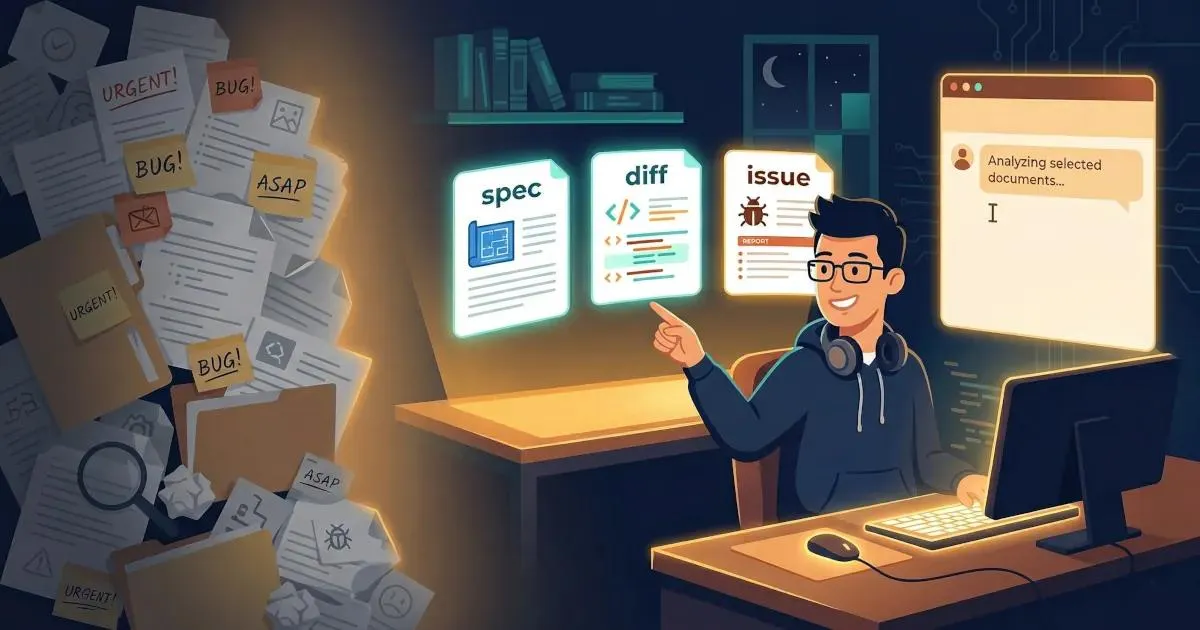
You've been there. You paste something into Claude or ChatGPT, get a mediocre answer, then realise two seconds later that the three files that would have made the difference are sitting open in your editor. You add them, resend, and suddenly the response is exactly what you needed.
That moment of realisation - this is what the model needed to see - is context engineering. You've been doing it since the first day you used an LLM. You just didn't have a name for it, or a system.
Now you do. And the difference between doing it deliberately versus doing it by accident is the difference between AI that occasionally impresses you and AI that you can actually depend on.
This guide is a practical walkthrough for developers, engineers, and PMs who work with LLMs daily. Not the kind of "context engineering" that means building RAG pipelines or multi-agent orchestration systems - there are plenty of excellent guides for that. This one is about the workflow layer: how to assemble the right context for your next task, right now, from the sources you already have.
In June 2025, Andrej Karpathy posted what became the most widely quoted definition in AI engineering:
"In every industrial-strength LLM app, context engineering is the delicate art and science of filling the context window with just the right information for the next step."
Shopify CEO Tobi Lütke had framed the same idea a day earlier: "I really like the term 'context engineering' over prompt engineering. It describes the core skill better: the art of providing all the context for the task to be plausibly solvable by the LLM."
Both were naming something practitioners had already been wrestling with. The term caught because it was precise.
Here's the cleanest way to think about it:
Prompt engineering is about how you ask. The wording, structure, and format of your instruction.
Context engineering is about what the model sees before it processes your instruction. The documents, code, history, specs, and data you include - or exclude - shapes the entire output.
The analogy Karpathy himself uses: think of the LLM as a CPU and its context window as RAM. The model can only work with what's currently loaded into that working memory. Your job, as the developer or practitioner building a task, is to act like an operating system - curating what gets loaded, in what format, so the model has exactly what it needs for this specific computation.
The prompt is a question. Context engineering is everything that determines whether the model has what it needs to answer it well.
Context engineering is often confused with adjacent concepts. Being clear about the distinctions matters:
The LangChain team's thorough breakdown of context engineering strategies describes four core approaches - write, select, compress, isolate - and shows how they interact in agent systems. It's worth reading for the system-building layer. This guide focuses on the practitioner layer: doing this well, manually, session by session.
Before getting to solutions, it's worth naming the failure modes precisely. Each of these shows up in daily work.
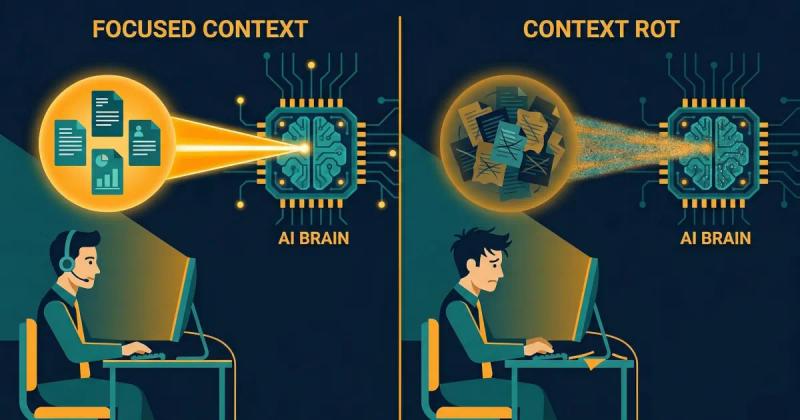
Chroma Research published a study in July 2025 - " Context Rot: How Increasing Input Tokens Impacts LLM Performance " - testing 18 state-of-the-art LLMs including GPT-4.1, Claude 4, Gemini 2.5, and Qwen3. The finding: model performance degrades as input length increases, often in non-uniform and surprising ways. The study found that adding irrelevant context - not just length, but noise - significantly degrades model performance even on simple tasks.
This matters because of how most LLM sessions actually run. You start a session with a specific task. You get partway through. You add more files. Ask follow-up questions. Reference earlier parts of the conversation. By the time you're on message fifteen, the model is working in a context that has doubled in size, the original clear specification is buried, and the earlier assumptions are silently competing with the later ones.
The model isn't getting worse. The context is getting noisy.
The Adobe research team's NoLiMa benchmark (presented at ICML 2025) showed this quantitatively: at 32K tokens, 11 out of 12 tested models dropped below 50% of their performance in short contexts. GPT-4o dropped from 99.3% accuracy at 1K tokens to 69.7% at 32K tokens - on the same task, with the same core information present.
The practical upshot: a long session with accumulated context is not better than a fresh, focused one. It is frequently worse.
The opposite problem is providing too little - or the wrong kind. A diffstat summary instead of the actual diff. A Notion page title instead of the page content. A vague task description without the spec it's supposed to implement.
The model fills the gaps with plausible-sounding completions drawn from its training data. These completions can feel coherent while being wrong for your specific codebase, your specific architecture, or your specific customer. You get generic output that could have been written for any company, because the model didn't have what it needed to write specifically for yours.
This is the mechanism we documented in our Haiku vs. Sonnet experiment : Claude Code running Sonnet 4.6 was given a high-level diffstat. Claude Haiku 4.5 was given a 380KB structured XML file containing full file contents, unified diffs, and commit metadata. Haiku - a smaller, cheaper model - produced a measurably better PR description. The model that could see the primary source material didn't need to guess.
Manual context assembly under time pressure creates a specific and underappreciated risk: accidentally including sensitive data.
According to LayerX's Enterprise AI & SaaS Data Security Report 2025 , 77% of enterprise employees paste data into GenAI tools, and 82% of that activity happens through personal, unmanaged accounts outside enterprise oversight. Of file uploads to AI tools, 40% contain PII or PCI data.
This isn't malice - it's workflow. A developer debugging a production issue pastes the relevant log file. What they didn't notice: an API key three lines above the function, or an internal database hostname, or a customer email in a comment. The Samsung incident in March 2023 - where semiconductor engineers pasted proprietary source code and meeting notes into ChatGPT, effectively transferring trade secrets to OpenAI's servers - involved no bad actors. Just engineers using the tool the way engineers use tools, without a review step.
Three separate incidents. Twenty days. No one noticed until the damage was done.
Different sessions get different context. Two developers on the same team give the same task to the same model on the same day and get wildly different results, because one included the architecture decision record and the other didn't. One pasted the relevant Notion spec; the other described it from memory.
No reproducibility, no shared baseline, no way to know which output to trust. The model's capability becomes unreliable not because it's inconsistent - it's quite consistent given the same input - but because the inputs are never actually the same.
Every claim in this guide rests on a reproducible finding from our own practice. We ran a controlled comparison to generate a PR description for the same feature branch using two different setups:
Setup A - Claude Code with Sonnet 4.6
Context provided: a high-level diffstat (standard Claude Code behaviour)
Setup B - Claude Haiku 4.5 via web chat
Context provided: a 380KB structured XML file containing the full content of every changed file, unified diffs for every file, per-commit metadata, and a structured commit log. 106,120 tokens of primary source material.
Haiku won. Clearly. The output named the product feature correctly, described cross-component dependencies accurately, explained test coverage, and wrote in the register of a senior engineer who understood the codebase. Sonnet's output referenced "the Stack" without explanation and missed architectural context that was obvious once you could see the actual code.
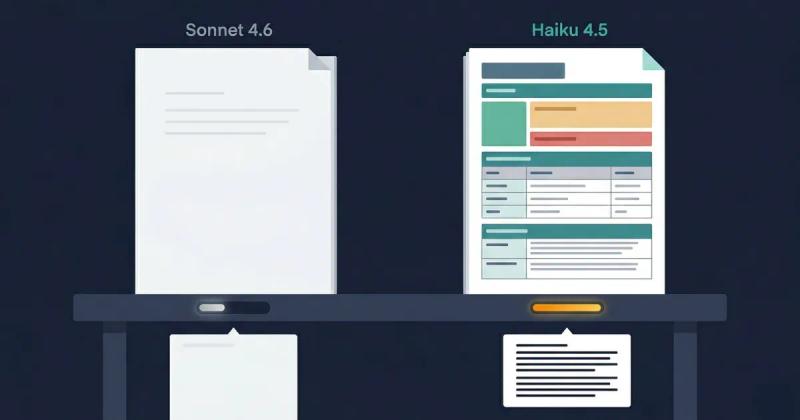
The lesson isn't "use Haiku." It's that the model that sees the primary source material will outperform the model working from summaries - regardless of model tier.
This finding is consistent with the broader research. The Faros engineering team documented a similar pattern: agents with access to specific, structured, codebase-level context consistently outperformed agents with generic high-level guidance, even when the guiding documentation was comprehensive. "A rule like 'follow DRY principles' helped in theory but didn't prevent the specific anti-patterns unique to each codebase."
Context specificity beats context volume. Primary sources beat summaries. Structured beats unstructured.
These are the principles we've distilled from building Mesh and from the research above. They apply whether you're assembling context manually or through tooling.
The goal is not to fit as much as possible into the context window. It is to include only what the model needs for this specific task. Every irrelevant token competes for the model's attention - the Chroma and NoLiMa research both confirm this happens at a measurable level.
When building a context stack, start with what the model must see to produce a correct, specific answer. Add things only if they are genuinely load-bearing for this task. When in doubt, leave it out.
Always prefer the actual document, file, or data over a description of it.
If the model needs to understand a design decision, give it the ADR - not your recollection of the ADR. If it's writing a PR description, give it the diff - not the diffstat. If it's reviewing a feature spec, give it the spec - not the bullet points you extracted from the spec last week.
Summaries introduce interpretation. Models working from summaries are working from your interpretation of what mattered. They may be missing the one detail that would have changed the output.
Unstructured prose dumps are harder for models to reason over than well-structured context. Markdown with clear headers, labelled sections, and XML with descriptive element names - these give the model anchors. It can locate the relevant section, understand what it contains, and reference it explicitly in its output.
This is why the PR Brief in our experiment was exported as structured XML: <file>, <diff>, <commit>, <metadata>. The model could parse the payload, not just read it.
The O'Reilly context engineering guide frames this as the difference between "writing the prompt" and "writing the screenplay" - you're not crafting an instruction, you're designing an information environment the model will navigate.
Context should be assembled fresh for each task. Stale context - a Notion page from two weeks ago, a file cached before yesterday's refactor, notes from a meeting that's since been superseded - is worse than no context. It's confidently wrong.
The "just-in-time" principle means: fetch your sources at the moment you need them, not in advance. Build the context stack when you're about to run the task, not when you think you might run it later.
Context assembly is the moment your data is most exposed. You're gathering real files, real Notion pages, real git history, and combining them into a payload you're about to send to an external server.
A review step - even thirty seconds of scanning before you export - catches the things that manual assembly misses. API keys are buried in config files. PII in a comment you forgot was there. Internal hostnames that shouldn't leave your network. The Samsung engineers weren't careless by disposition; they were working fast, under time pressure, in the way developers always work.
The gap between "safe" and "unsafe" context assembly is usually one quick scan step before export.
Here's the end-to-end workflow for assembling context deliberately. Walk through this for any non-trivial task before opening your LLM client.
Step 1 - Define the task scope precisely
Before you assemble anything, answer one question: What does the model need to produce a correct, specific, non-generic output for this task? Write it down if it helps. Not "help me with authentication" but "I need to implement token refresh in our Express API, following the pattern in auth/session.ts, without changing the existing middleware signature."
The more precise your scope, the clearer it becomes which context is load-bearing and which is noise.
Step 2 - Map your sources
For the task you've defined, which information sources are actually required? Common categories:
Write the list. Two or three items usually covers 80% of what the model needs.
Step 3 - Select and filter, don't dump
From each source, include only the sections directly relevant to the task. A 40-page Notion database is not a context stack - it's noise. The three pages in that database that define the relevant data model and auth flows are.
If you find yourself including something "just in case," it probably shouldn't be there. Irrelevant context doesn't help - based on the research, it actively hurts.
Step 4 - Structure for the model
Organise your assembled context with clear section headings, labels, and hierarchy. If you're building this manually in a text editor, use markdown headers to separate sections. If you're using a tool that exports to XML, use descriptive element names that communicate meaning.
The model reads the structure as a signal. <spec>, <current_implementation>, and <example_pattern> tell the model something about how to use each section. A flat paste of three files tells it nothing.
Step 5 - Token-check before you send
Know your model's effective window for this task type, and count your tokens before sending. Most LLM interfaces show a token count. Most developers ignore it until things break.
If you're approaching the model's effective range (not the advertised maximum - the NoLiMa and Chroma research both show effective range is considerably lower), trim aggressively. The last item added is usually the least essential.
Step 6 - Run the privacy gate
Before any context leaves your machine, spend thirty seconds scanning for things that shouldn't be there. API keys, OAuth tokens, internal hostnames, customer names, email addresses, and financial data.
This step is a personal hygiene baseline regardless of whether you're at a company with a security team or a solo builder working from a home office. External servers are external servers.
Step 7 - Separate assembly from generation
This is the shift that makes everything else sustainable.
Build your context payload first. Then open your LLM client. Don't build context inside the chat thread as you go - that's how sessions accumulate noise, how privacy review gets skipped, and how context drift between sessions becomes permanent.
Treating context assembly as a distinct workflow step - upstream of generation - is what separates ad-hoc AI use from a reproducible, reliable process.
The principles above apply universally. How they translate to practice depends on where you sit.
Your context stack for a coding task typically needs: the specific files directly involved in the change (not the whole module), the relevant git history for those files, the linked issue or ticket with acceptance criteria, and any architectural decision records that govern the pattern being implemented.
The common failure mode: giving the model only the file you're currently editing when the actual dependency that's causing the bug lives elsewhere. The model produces a fix that works in isolation and breaks in integration, because it couldn't see what it was integrating with.
Quick checklist for coding tasks:
Your context stack for a feature brief, spec review, or roadmap document typically needs: the relevant user research or customer feedback, the existing product spec or PRD section this relates to, competitive positioning context if relevant, and the current sprint or milestone context.
The common failure mode: asking the model to "write a spec for X" with no product context and getting an output that could apply to any software company. The model is not being lazy - it genuinely doesn't know your product, your users, or your architectural constraints. That's context you have to provide.
Quick checklist for PM tasks:
Your challenge is different: you work across many contexts (your product, client work, research, writing) and rebuilding a context stack from scratch each session is the biggest time tax.
The solution is a personal context library - reusable blocks you've pre-assembled: a "this is my product" block, a "this is my stack" block, a "this is my code style" block. You compose from these fast, rather than reconstructing from source each time.
The goal isn't to have one massive always-on context. It's to have well-organised, modular pieces you can quickly combine into a precise payload for each task.
Quick checklist for solo builders:
The workflow above works manually. If you're doing this once or twice a week, a text editor and some discipline is sufficient.
If you're doing this daily - assembling context from Notion, local files, git diffs, GitHub issues, and saved reusable blocks, across multiple projects - the manual workflow becomes a bottleneck. The friction of assembly creates pressure to skip steps: to use a summary instead of the source, to skip the privacy review, to copy from yesterday's session instead of fetching fresh.
HiveTrail Mesh is the tool we built specifically for this workflow. The design maps directly to the seven steps above:
Connect your sources - link your Notion workspace, point Mesh at local directories with glob patterns, connect your GitHub account, or draw from your saved Context Blocks library. Sources are connected once; fetched just-in-time on every export.
Build the stack - drag relevant items into the Stack, reorder them by priority, pin the ones you always need for this project. Every item shows a live token count. The model-aware counter updates as you add and remove items.
Token-check and trim - the Output Editor gives you a live view of your assembled context, with a token count updating in real time against your target model's effective window. Trim until you're within range.
Privacy gate - before export, Mesh's Privacy Scanner runs automatically, flagging API keys, PII, and internal paths. The Exit Gate blocks unsafe exports. Nothing leaves until it's clean.
Export - to clipboard, directly to your LLM client, or as a file. The assembled context is model-agnostic - you bring it into Claude, Gemini, GPT-4o, or Claude Code. Context assembly is handled; generation is your choice.
The JIT principle is built into the architecture: every item in the stack is fetched at the moment of export, not cached from a previous session. The Notion page you're exporting today reflects today's version of that page.
Mesh is currently in limited beta. If this workflow resonates, request early access here .
Next time you're about to paste something into your LLM client, pause for a moment and ask: Is this the context the model actually needs to produce a specific, correct answer for this task?
That question is context engineering. The discipline is the same whether you're architecting a 10-agent pipeline or putting together a feature brief on a Tuesday afternoon. The difference is whether you're doing it deliberately, with a system, or by instinct, hoping the model figures out what you need it to see.
The good news: the gap between casual and deliberate is not large. A clear task definition, a short source list, structured assembly, a token check, and a thirty-second privacy review. That's the workflow. It takes a few extra minutes, and it moves the quality ceiling significantly.
The models are good. Give them what they need to work with.
HiveTrail builds tools for developers and PMs who work with LLMs daily. HiveTrail Mesh is a desktop application for assembling, managing, and securely exporting structured context from Notion, local files, git repositories, and reusable context blocks. Currently in limited beta - request early access .
On this page
Context engineering is the discipline of deciding what information enters a language model's context window for a given task - what to include, how much, how it's structured, and when it's fetched. It's the work that happens before you write your prompt, and it determines most of the quality of the output you get back.
Prompt engineering is about how you ask the question - the wording, structure, and format of your instruction. Context engineering is about what the model sees before it processes your question. They're complementary, but context engineering has a higher ceiling: you can write a perfect prompt and still get a mediocre answer if the model doesn't have the information it needs.
No. Retrieval-Augmented Generation is one technical approach to assembling context automatically at query time. It's a specific implementation pattern within context engineering. For many production systems, RAG is the right tool. For session-level, practitioner-level work, assembling context for a specific task today, manual or semi-manual context assembly is often more precise and more controllable than automated retrieval.
Check your token count against the model's effective range, not its advertised maximum. The NoLiMa benchmark showed that 11 of 12 tested models dropped below 50% performance at 32K tokens, even for models claiming 128K+ context windows. In practice, aim for the smallest context that contains everything load-bearing for your task. If you're adding something "just in case," it's probably noise.
Context rot is the performance degradation that occurs as LLM context length grows, documented by Chroma Research across 18 state-of-the-art models. The practical prevention: start fresh sessions for distinct tasks rather than accumulating everything in one thread, fetch context just-in-time rather than carrying it over from previous sessions, and aggressively trim irrelevant content before sending.
For pipeline and agent-level context engineering: LlamaIndex for data ingestion and retrieval, LangGraph for agent orchestration, and CLAUDE.md / AGENTS.md configuration files for persistent coding agent context. For session-level, practitioner-level context assembly: HiveTrail Mesh , which handles source connection, stack assembly, token management, privacy scanning, and structured export for individual workflows.

Read the Anthropic context engineering guide 2026 but stuck on implementation? Translate its four pillars into a concrete checklist for your next LLM session.
Read more about Anthropic Context Engineering Guide 2026: A Field Manual
Long-running AI agents lose context over time. The fix isn't bigger context windows. It's a curated handoff between coding sessions. Here's the protocol.
Read more about Why Long-Running AI Agents Forget: A Session Context Strategy
Stop dumping raw files into your LLM. Learn how to build a structured LLM context stack covering source selection, token budgeting, privacy, and XML assembly.
Read more about How to Build an LLM Context Stack: A Practical Playbook for Developers (2026)