
 Ben •
Ben •
Picture this: a developer on your team is debugging a gnarly issue. They paste a chunk of code into ChatGPT and ask it to find the bug. Seconds later, they have an answer. Problem solved, or so they think.
What they didn't notice was the AWS access key hardcoded three lines above the function they were debugging. Or the internal database hostname. Or the colleague's email address in a comment. All of it, silently transmitted to an external server, potentially logged, potentially used to train a model that millions of other people query every day.
This isn't a hypothetical. It's happening at companies around the world right now, and most of the time, nobody notices until it's too late.
This isn't a niche security concern. According to a 2025 report by LayerX Security, 77% of employees who use AI tools paste company data into them, and 82% of those interactions happen through personal, unmanaged accounts that are completely invisible to corporate security teams.
Research from Cyberhaven found that at a company of 100,000 employees, confidential data is being sent to ChatGPT hundreds of times per week. The most common data types? Source code (278 incidents/week/100k employees), sensitive internal documents (319), and client data (260).
A Cyera report found that AI chat tools have become the number one cause of workplace data leaks, surpassing both cloud storage and email for the first time. Nearly 40% of file uploads to AI tools contain PII or payment card data.
And it compounds: 63.8% of ChatGPT users are on the free tier, where OpenAI explicitly states that prompts may be used for model training.
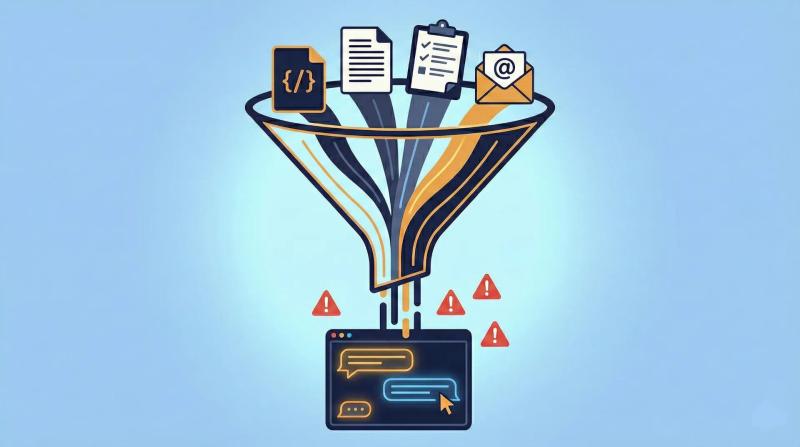
These aren't theoretical scenarios. The following incidents are documented and public.
In spring 2023, a Samsung semiconductor engineer pasted proprietary source code directly into ChatGPT while troubleshooting a faulty database. The intent was innocent, they just wanted a bug fix. But the code, along with its embedded logic, system references, and structural patterns, was transmitted to OpenAI's servers.
This wasn't a one-off. Within weeks, two more Samsung employees did similar things: one shared code for identifying defective equipment; another uploaded a full recording of an internal meeting to generate minutes. Samsung implemented emergency measures, capping prompts at 1,024 bytes, before ultimately banning public AI tools on company devices entirely.
The uncomfortable truth: these engineers weren't being reckless. They were being productive. They had no tool telling them what was sensitive in their paste.
This one happens quietly, every day. A PM pulls up their product requirements document in Notion. It includes user research quotes, customer feedback with names attached, email addresses from support tickets referenced as context, or an internal roadmap tied to customer commitments.
They copy the whole doc into Claude or ChatGPT: "Summarize this PRD into Jira tickets." Done in 30 seconds. But buried in that document were real customer names, real email addresses, and internal strategic information that just left the building.
For companies operating under GDPR, HIPAA, or SOC 2, this isn't just a security concern, it's a compliance incident.
Developers using AI for code generation often grab entire files or folders to give the model "context." What they're also providing, inadvertently, are internal server hostnames, database connection strings, infrastructure topology, and proprietary business logic.
Amazon's internal counsel reportedly issued warnings to employees after noticing that ChatGPT outputs were closely resembling Amazon's confidential internal documentation, a sign that the data had already made its way into the model.
The problem with paths and infrastructure data is that it's rarely visible as "sensitive." An internal URL like postgresql://prod-db.internal:5432/userdata doesn't look alarming when you're focused on the function around it.

This scenario is subtler. A developer asks an LLM to help write a configuration file or environment setup script. To give the model an accurate context, they include their existing .env file contents in the prompt, complete with real API keys.
The LLM helpfully generates code that includes placeholders, but the real keys were already uploaded. Worse, in some cases, the generated output echoes back the actual key values into a file that then gets committed to a repository.
GitHub's own research has shown that secret exposure in public repos remains one of the most common and damaging security incidents, and the LLM workflow adds a new, invisible vector to that risk.
Samsung banned AI tools. So did Apple, Verizon, and J.P. Morgan Chase. In a September 2023 survey of 2,000 companies, 75% said they were implementing or considering bans on generative AI in the workplace.
But the Harmonic Security research tells the other side of that story: when companies block AI tools on managed devices, employees simply switch to personal devices or personal accounts. The data still leaves. The leak still happens. It just becomes invisible to your security team.
The real problem isn't that employees are using AI. It's that they have no visibility into what's sensitive in their context before they send it. The solution has to intercept the leak at the source, not block the tool.

There are three levels of defense, and the best approach combines all three.
Teams need clear, specific guidance, not vague "don't share confidential data" policies. A good policy names what counts as sensitive: API keys, OAuth tokens, internal hostnames, customer names, email addresses, financial data, unreleased product information. Without specifics, employees can't self-police.
Before pasting anything into an LLM, ask: Does this contain any of the following?
This works when the stakes are obvious, but it fails silently when the sensitive data is buried in a large file or an otherwise innocent-looking document.
The most robust solution is one that scans context automatically before it ever reaches the clipboard. This is what HiveTrail Mesh's Privacy & Security Scanner does.
Mesh assembles context from sources like Notion, local code files, and your prompt library, then runs every item through a configurable scanner before export. Here's what makes it different from simply warning you:
The key insight is that the scanner sits between your knowledge sources and the LLM, not as a blocker, but as a gate. Your team keeps all the productivity benefits of AI. The secrets stay on your machine.
Until you have automated tooling in place, use this checklist before pasting anything into an LLM:

The companies that banned AI tools weren't wrong to be concerned. They were wrong to think that banning was the only option. The data leakage problem is fundamentally a context problem: people are sending too much, without visibility into what's sensitive.
A junior developer isn't going to manually audit 300 lines of code for secrets before every prompt. A PM isn't going to scrutinize their Notion export for customer data on every task. They need a tool that does it for them, automatically, before the data leaves their machine.
That's the gap HiveTrail Mesh is built to close.
See how Mesh handles context security: explore HiveTrail Mesh →
Samsung ChatGPT Leak - The Cybersecurity Times
Confidential Data Submission to ChatGPT - Cyberhaven
Generative AI and Data Leaks - PDI Technologies
77% of Employees Share Company Data via AI - LayerX / eSecurity Planet
AI Chats Are Now #1 Cause of Workplace Data Leaks - Tom's Guide
The Data Leaking Into GenAI Tools- Harmonic Security
On this page

Stop generating shallow AI outputs. Learn context engineering for product managers to build reusable data stacks and improve PRDs without tweaking prompts.
Read more about Context Engineering for Product Managers: The Missing AI Skill
Master the vocabulary of AI agents with this context engineering glossary. Discover 22 key terms, from context rot to attention budgets, to build better apps.
Read more about The Context Engineering Glossary: 22 Terms for AI Developers
Why manually copying Notion data into ChatGPT or Claude keeps failing - and what a proper context automation workflow looks like, with a look at HiveTrail Mesh.
Read more about The Copy-Paste Tax: Why Getting Notion Data into Your AI Is Harder Than It Should Be.